Enlighted Connect depends on sensor integrations and a precise stream of data for accurate utilization metrics related to spaces, rooms, and desks.
The Sensor Health dashboard provides information about installed sensors and reports their status or any issues. To ensure that data is flowing correctly, this report identifies sensors that are offline and empowers your teams to act and address potential issues. This dashboard provides filters to narrow the reporting data and date range.
Administrators can use this dashboard to understand:
- General summary of sensor status, including number of sensors, sensors by status, and sensors by type
- Information about individual sensor type, location, and status
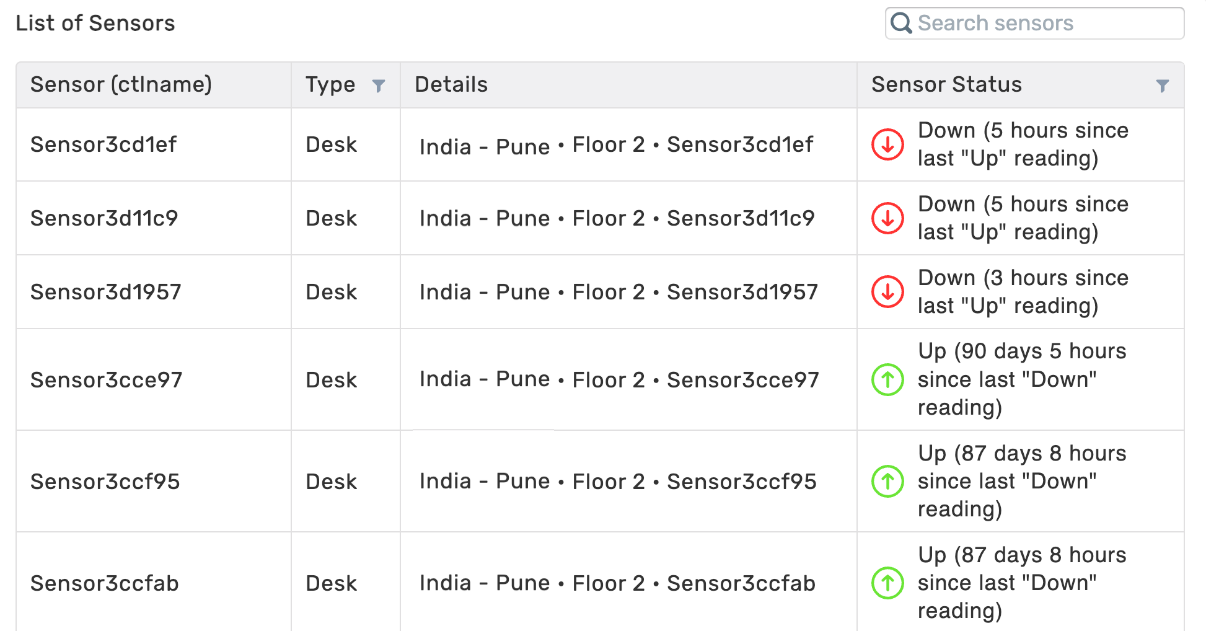
- Sensor status of Up, Down, or No Reading
- Up – sensor is communicating correctly with Connect
- Down – sensor is not communicating correctly with Connect; details highlight amount of time since the last Up reading from the sensor
- No Reading – sensor has never communicated data to Connect
Available Insights will vary based on what features have been implemented.
View details about the Available Dashboards.
| Sensor data is updated in real-time and does not reflect historical information. However, you can export data as a CSV for your records. |
Navigate to the menu item > Sensor Health 
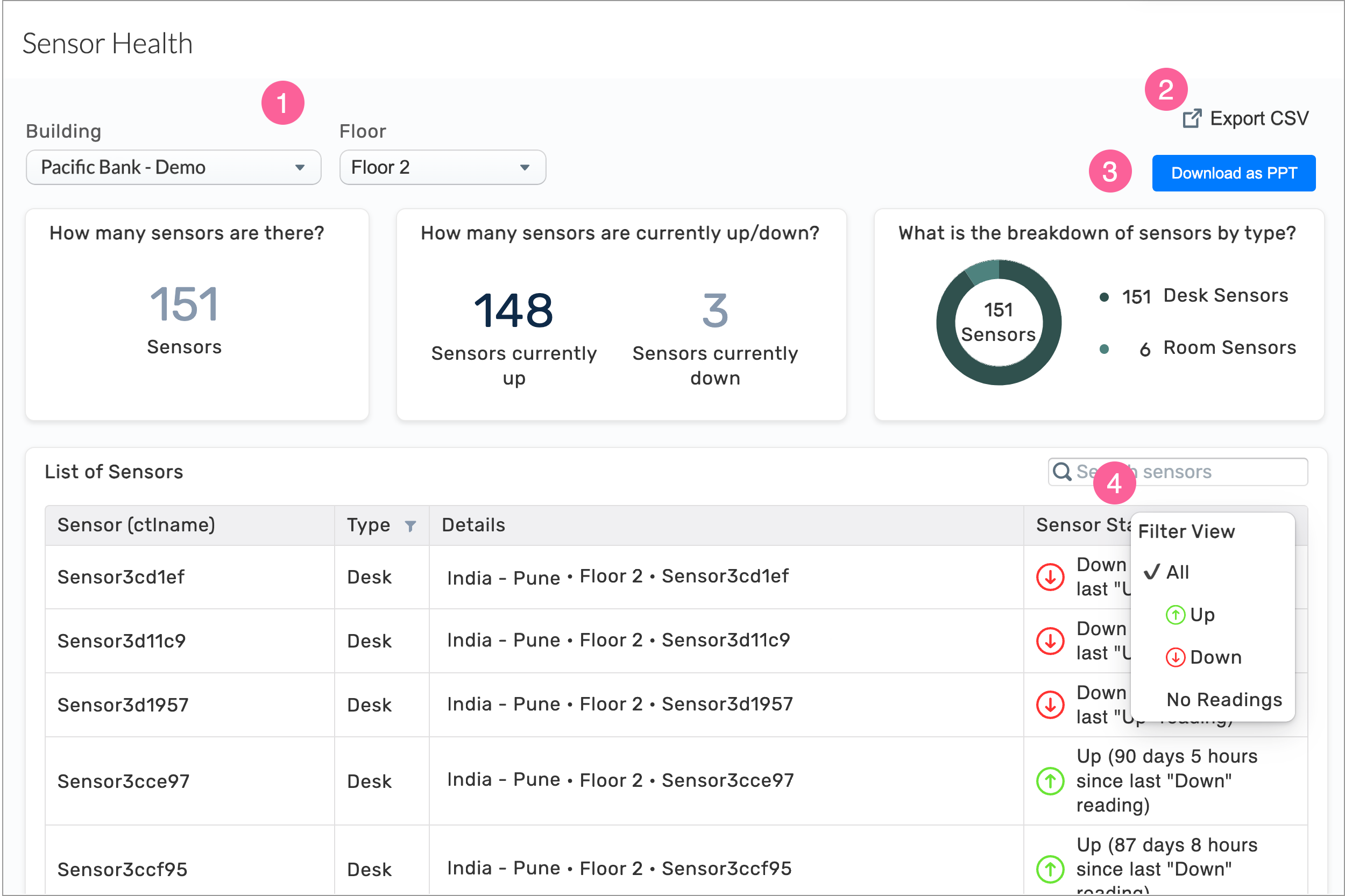
- Select the Building and Floor
- Export the configured data to a CSV file
- Click the Download as PPT button to generate a PowerPoint (PPTX) file with charts for the selected building, floor, and other configured details
INSIGHTS – Available Metrics
Sensor data is updated in real-time and does not reflect historical information.
|
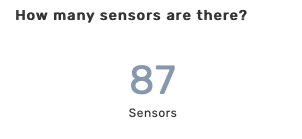
Number of sensors
Displays the number of sensors within the selected parameters.
|
|
|
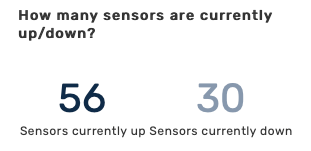
Up or Down sensors
Displays the number of sensors with an Up or Down status within the selected parameters.
|
|
|
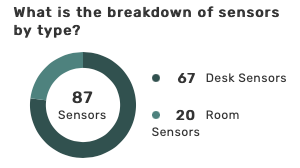
Breakdown of sensor types
Shows the number of sensors by type, within the selected parameters.
|
|
|
List of Sensors
List displays all sensors within the parameters selected. Filters allow you to sort Types and Sensor Status.
|
All Insights Dashboards